One Mac app · dictation, reading, translation · pay once
Say it, don't type it.
Dictation, reading aloud and translation in one app. Press a key and speak, it types. Select any sentence, it reads aloud, in your language or another. All on your Mac, nothing uploaded. $79.99 once. Compare that to $283 a year for a dictation app plus a reader.
7-day full trial, no card needed. macOS on Apple Silicon (M1 or newer). Runs light: it picks speech models to fit your Mac's memory, and 8 GB is plenty.
New: it translates now, too. Speak one language, type another, all on your Mac.
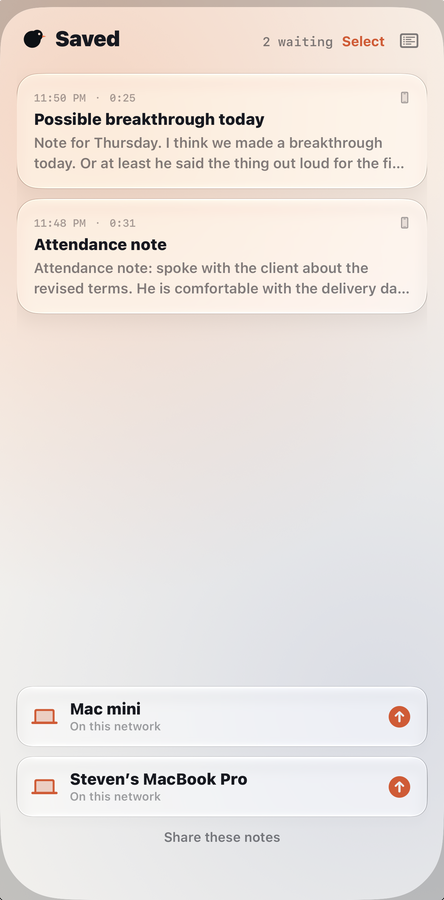
And a free iPhone app, on the App Store.Catch a thought away from the desk, hand it to your Mac when you get back.
New Message
Toalex@company.com
SubjectQuick one about Thursday
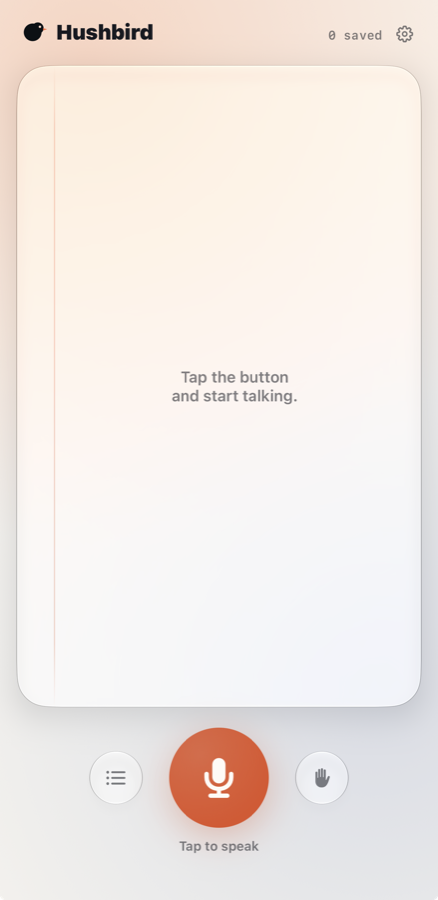
Your words appear in the card as you speak. Stop, and the cleaned text lands where your cursor is. A 10 second web preview here; the app runs entirely on your Mac and uploads nothing.
Mail
⌘⌘press to dictate
Your Macs, by name. One tap and the note is there.
Now hear the other halfReader
In the app you never type any of this. You select the words wherever they already are and press a key. Pasting is as close as a web page can get. On your Mac the voice runs on your own machine and starts instantly; the cloud voice here exists only so this page can demo it.
These five have Hushbird’s own voices. The app reads about forty languages, switching by itself when the text changes.
Why it exists
I did not want to pay two subscriptions.
I was renting one app to turn my voice into text, and a second one to read text back to me. Two monthly bills for two halves of the same idea. So I built the half I needed, then the other half, and kept sanding it down until it felt like one quiet tool instead of two loud ones.
There was also the morning it all just stopped. Somewhere a cloud provider had a bad day, and both apps went dark with it. No dictation, no reader, nothing to do but wait. By then I had been talking to my Mac for months. I had stopped composing at a keyboard, and having that taken away mid-deadline was worse than never having had it at all.
Then a friend started using it every day. That is when it stopped being a hack and became Hushbird: one app that listens and speaks, runs entirely on your Mac, and costs you once.
I literally can't live without Hushbird. I use it in every app from the start of my day to the end. Emails, pitch decks, even reading tea publications while I work on other things. It lets me dictate and think instead of focusing on typing, so my ideas come out more precisely. Most importantly, I canceled two other subscriptions. And even more important, everything is hosted locally, so I'm not worried about anything in the cloud. It's a game changer.
Lisa Marie GennaweyFounder & Global Brand Director, Jenwey Tea Co.
How it works
Three moments, no windows to manage.
1
Double-tap the right ⌘ key
In an email, a doc, a chat box, anywhere you can type. A soft chime tells you Hushbird is listening. No chord to learn, nothing to set up: it works the moment you open the app.
2
Talk like a person
Mumble, pause, change your mind mid-sentence. Even whisper at night; it boosts quiet speech on its own.
3
Tap it once to stop
Your words land as clean, punctuated text, right where your cursor was. Two taps to start so it never happens by accident; one tap to stop, because by then you want it immediately.
Away from your own language
It translates, too. Still nothing leaves.
Anyone can add translation. Everyone else added it by sending your
words to a server, which is exactly why a clinic and a law firm are not allowed to use
it. Hushbird translates on your Mac, so it is the one they can install.
You sayConfirmando la cita del jueves a las tres.
It typesConfirming the appointment on Thursday at three.
You sayPlease bring the documents we discussed.
It typesVeuillez apporter les documents dont nous avons parlé.
Double-tap the Control key. Twenty languages, either direction, and it
works out which one you spoke by itself. Highlight something written in a language you
would rather not read, and it reads it aloud in yours.
Writes for where you are
No modes to build. It already knows.
Every other dictation app makes you create modes and wire them to apps by hand. Hushbird can see which app your cursor is in, so it simply writes accordingly, and names the mode it chose, so nothing happens behind your back.
Email gets sentences
Dictate into Mail or Outlook and you get full sentences and ordinary punctuation, in a tone that reads like you wrote it. No greeting, no sign-off. You add those.
Chat stays short
The same words in Slack or Messages come out the way people actually type: brief, casual, no full stop stuck on the end of a one-line reply.
Code is left alone
In an editor or a terminal nothing is polished at all. A variable name tidied into English prose is worse than a rough transcript, so Hushbird does not touch it.
Working on something specific? Pin Legal, Financial or Verbatim and it stays everywhere until you unpin it, which is useful when one task spans a document, an email and a browser. Verbatim rewrites nothing at all: no polish, no reformatted numbers, exactly what you said. Every mode runs on your Mac.
One-tap cleanup
Talk like you actually talk.
Most dictation quietly asks you to perform. Speak in finished sentences, no tangents, no filler, or the text comes out a mess. That is exhausting, and it is why people give up on it.
So do not bother. Ramble, double back, trail off, say "um" as often as you like. One tap clears the fillers and fixes the grammar, and the words underneath stay yours. It corrects what it misheard from context. It does not rewrite what you meant, and it will not put words in your mouth.
The broom button
After each dictation a small broom appears beside your words. Press it and mis-heard words come out right, filler is gone, punctuation is fixed, all replaced right where the text landed. Ignore it and it fades away on its own.
Still nothing leaves your Mac
On macOS 26 the cleanup uses the Apple Intelligence model already on your Mac. On earlier systems Hushbird tidies with its built-in rules instead. Either way, your words never leave your desk.
Both directions
It reads to you, too.
This is the other half of talking freely. Say it messily, clean it in one tap, then select it and listen. What comes back is the same thought without the stumbling. It is a useful thing to hear, because the thinking was never the problem. Only the delivery was.
Read anything aloud
Select text in any app and Hushbird reads it in a warm, natural voice generated on your Mac. Long article, dense email, your own draft: hearing it is different from rereading it.
One press to read, one to stop. You pick the keys, or use a single key if that is your style.
Spanish, not just in Spanish
Plenty of tools will read Spanish to you. Hushbird's own interface is Spanish as well, so a Spanish speaker gets the whole tool in their language rather than an English app that happens to speak. Following along word by word works in Spanish, French, Italian and Portuguese, not only English. Set your Mac's language and Hushbird follows it.
One app, one license, no separate download.
It notices the language by itself
The reader speaks about forty languages. Hushbird's own voices cover English, Spanish, French, Italian and Brazilian Portuguese across 21 of them, and anything else uses a voice macOS already has, with nothing to download. Select Spanish text and it switches to a Spanish voice by itself. No settings to hunt for, no language menu.
Away from the desk
Catch it on your iPhone. Finish it on your Mac.
The thought worth writing down rarely waits until you are sitting at the desk. Speak it into your iPhone, where the words are written on the device itself, and hand it to your Mac when you get there, cleaned up with your own modes and your own dictionary, filed apart from your desktop dictations.
Tap once and talk. That is the whole app.Your Macs appear by name. One tap and the note is there.
Free iPhone app, iOS 26 or later. It works on its own, and better with Hushbird on your Mac.
The honest comparison
One app instead of two subscriptions.
Feature
Hushbird
Wispr Flow + Speechify
Apple built-in
Types what you say
Yes
Yes, in Wispr
Yes
Reads text back to you
Yes
Only if you add Speechify
Yes, buried in Accessibility
Cleans up misheard words and filler
Yes, one tap
Yes, in the cloud
No
Your own words dictionary
Yes
Yes, in Wispr
No
Runs entirely on your Mac
Yes
No, Wispr sends your audio to its servers
Yes
What you pay
$79.99 once
About $15 a month, plus a Speechify plan
Free
One hotkey, any app
Yes
Two tools to manage
Limited, and it times out
Apple is free and private, and for quick notes it is fine. Hushbird earns its price on accuracy, one-tap cleanup, a genuinely good reading voice, your own dictionary, and never timing out mid-thought.
// re: MacWhisper Great tool, for transcribing audio files and meetings after the fact. Hushbird is the opposite: it types and reads for you live, in any app, as you work. Different jobs. Plenty of people run both.
The app
Quiet on the outside, busy underneath.
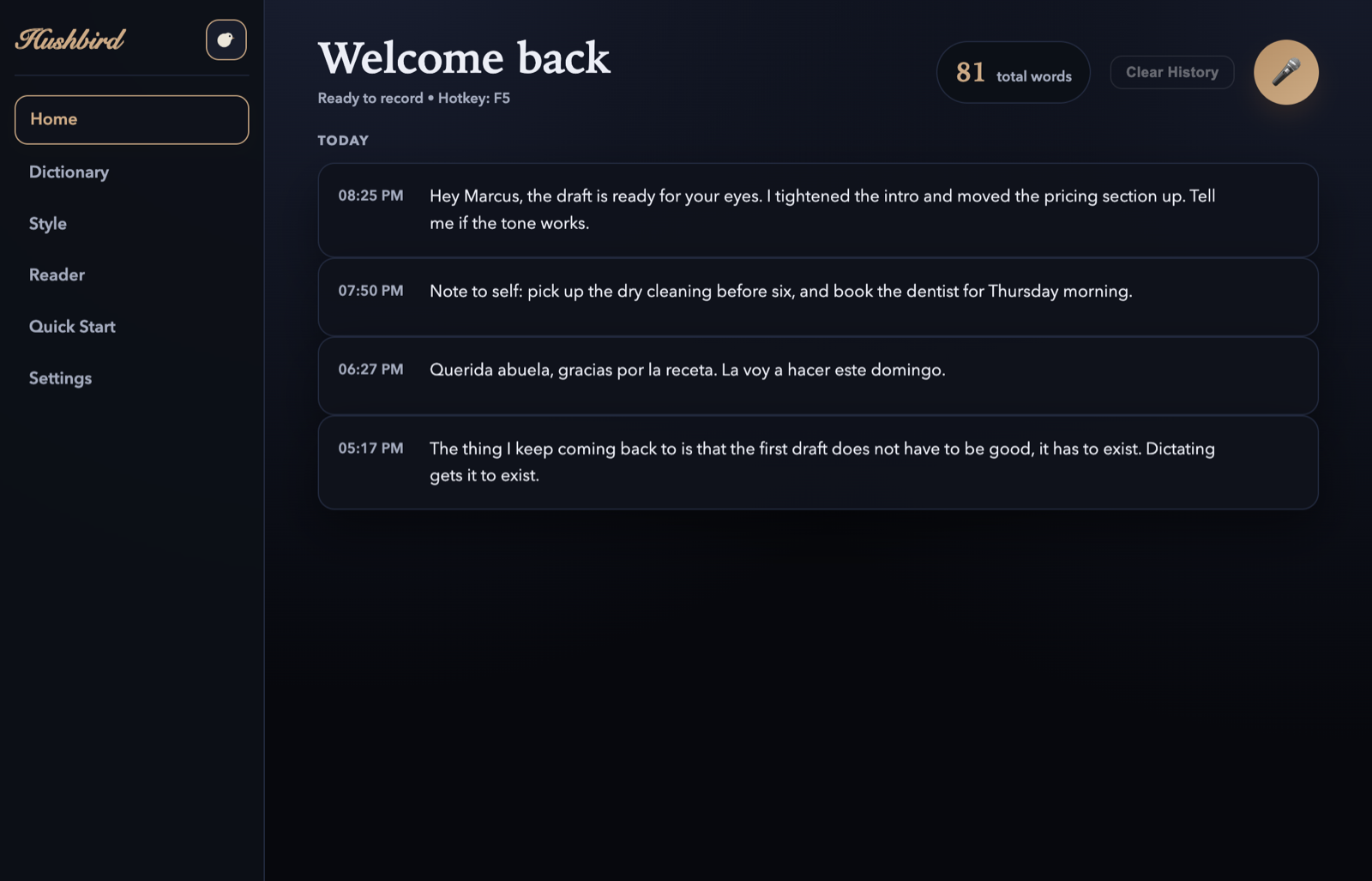
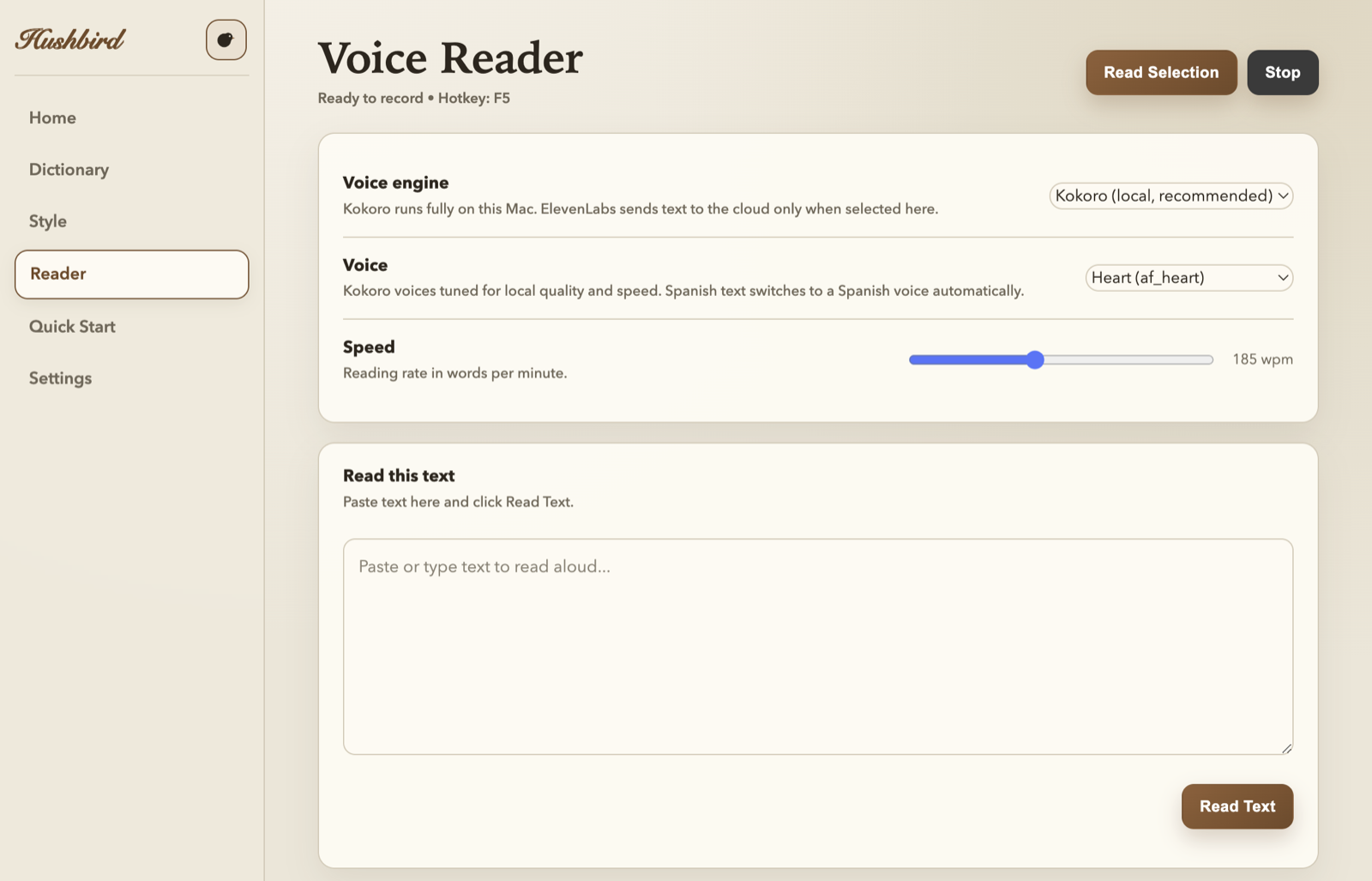
Your dictation history, a reader with voices and speed control, and settings that fit on one screen. No dashboards, no accounts, no feed.
Every dictation lands in your local history. Spanish included.The reader: pick a voice, set the pace, select text anywhere.
Questions
Fair questions, straight answers.
Which Macs does it run on?
Any Apple Silicon Mac (M1 or newer) on a recent macOS. 8 GB of memory is enough; Hushbird picks speech models sized to your machine.
Where does my audio go?
Nowhere. Listening and speaking both happen on your Mac's own chip. There is no server, no account, and nothing to leak. The optional cloud voices are off unless you turn them on with your own key.
Does it work offline?
Yes. The one-time setup downloads the speech models; after that, dictation and reading work with no internet at all: on a plane, on bad hotel wifi, or during an outage that stops everything else.
What happens when your service goes down?
There is no service. The models run on your Mac, so there is no server of ours to fail and no provider of ours to have a bad morning. A cloud dictation app can only ever be as reliable as the platform underneath it. Hushbird has nothing underneath it but your Mac.
What languages does it handle?
Dictation is tuned for English and handles 24 more European languages, detecting which one you are speaking on its own. The reader covers fewer of them: English, Spanish, French, Italian and Portuguese. Select Spanish text and it switches to a Spanish voice by itself.
How does the trial work?
7 days, every feature, no card. When it ends, buy once for $79.99 or walk away; nothing renews, because nothing subscribes.
How many Macs can I use it on?
Two, say a desktop and a laptop, with one license key. Updates included.
The obvious question
Doesn't my Mac already do this?
Sort of. And if the built-in dictation made you happy, you would not be reading this.
Apple's dictation
Raw, take-it-or-leave-it transcription: dropped words mid-sentence, guessed punctuation, no idea what to do with a mumble, a technical term, or an accent. And when it silently stops working, the fix people trade on forums is a reboot.
Hushbird listens with state-of-the-art open speech models and hands you clean, punctuated text on the first try. Whispering at 1am included.
Apple's reader
It exists. It is called Spoken Content, it lives five clicks deep in Accessibility settings, and the voice most people get sounds like 2015. Almost nobody finds it, and few who do keep using it.
Hushbird reads with a warm, natural voice out of the box. One hotkey, no settings safari, no voice downloads to hunt for.
Privacy
The quiet part, said out loud.
Most dictation apps stream your voice to a server. Hushbird transcribes and speaks with open models running on your Mac's own silicon. After the one-time voice setup, it works with the network cable unplugged.
What never happens
Your audio never leaves your Mac. There is no server to send it to.
No account, no sign-in, no email address required.
No analytics on what you say or what it reads to you.
No subscription quietly renewing in the background.
Built on open, inspectable speech technology, not a black box. One honest exception: the try-it demo on this page runs in your browser, so that clip is sent to a speech service. The app on your Mac never does this.
Pricing
Pay once. That is the whole model.
$79.99one purchase, no subscription
7-day full trial first, every feature, no card needed
Licensed for 2 Macs, say a desktop and a laptop
Unlimited dictation and reading, no word counts or monthly caps
Your license does not expire, and every version 1 update is included
Hushbird is $79.99, once. Subscription dictation apps run $8 to $15 every month, and adding a reader alongside one takes the pair to $283 a year on annual billing, or $528 if you pay monthly. Hushbird is one payment, partly because your Mac does the work instead of someone's cloud.